Set your working hours
Define when you work and organize sessions around your own schedule. The calendar shows planned sessions and any changes.
Keep individual, recurring and group sessions in one calendar. In Trely you see slot proposals, confirmations and changes without searching through conversations.


Full access for 30 days · no card
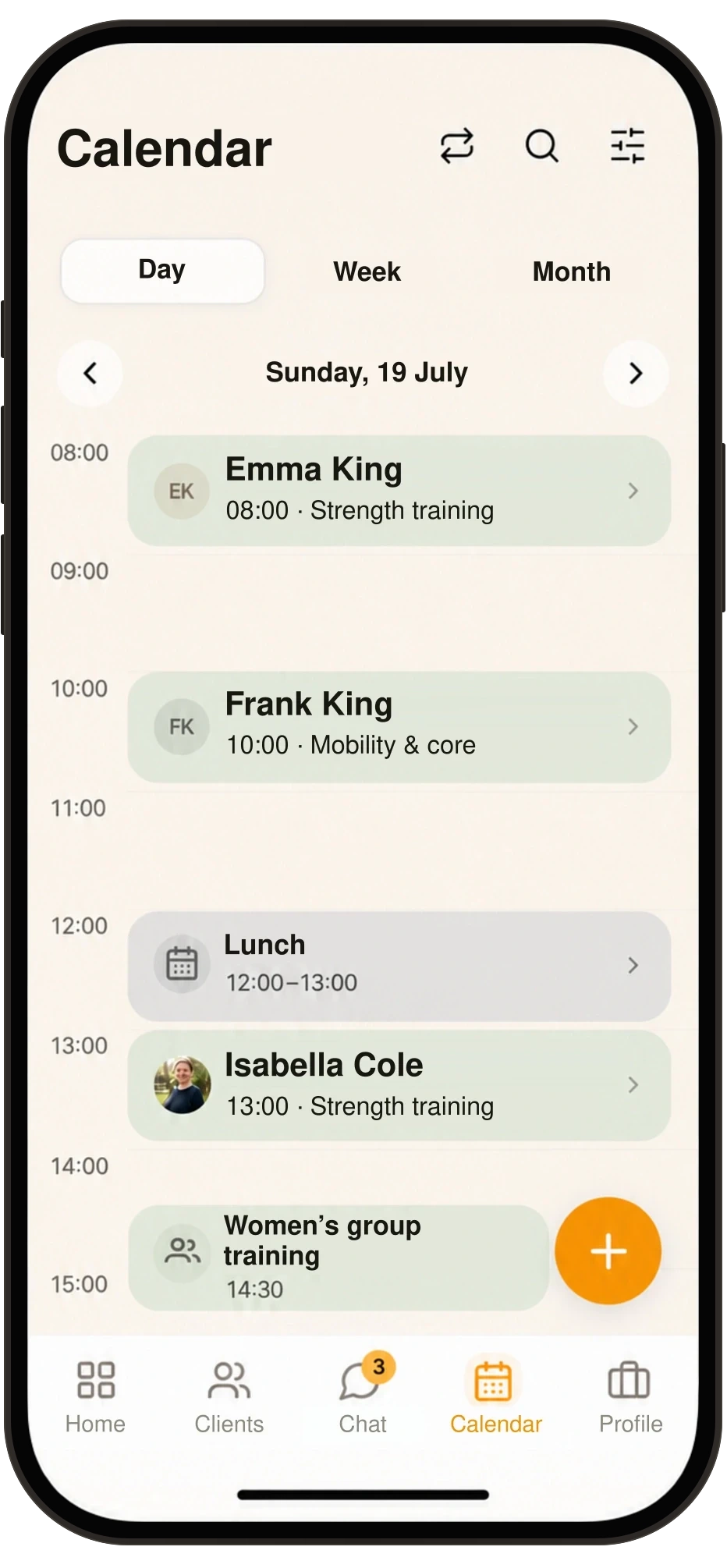
Define when you work and organize sessions around your own schedule. The calendar shows planned sessions and any changes.
You or the client can propose a slot. It’s agreed only once the other side confirms it, so every session shows whether it’s proposed or confirmed.
Use individual, recurring or group slots depending on how you work with someone. The history tells you what was moved or cancelled.
A reminder flags the upcoming session. Payment information then doesn’t have to be looked up outside the app.
Use a private block to mark time in your calendar when you’re not training. A block can be one-off or repeating. In Week it shows as hatching, in Day with your own name for it.
Session times are shown in the trainer’s time zone. If your phone is in a different zone, you’ll see the zone’s abbreviation next to the time (for example CET).
You and the client. A client without the app replies from the link in the email.
No. It’s a first contact with a prospect, not an agreed slot.
Yes, within the settings the app currently offers.
Start with a 30-day trial and set Trely up around the way you work.
Full access for 30 days · no card